Wolf 3D Software: The Complete Retro FPS Creation Guide
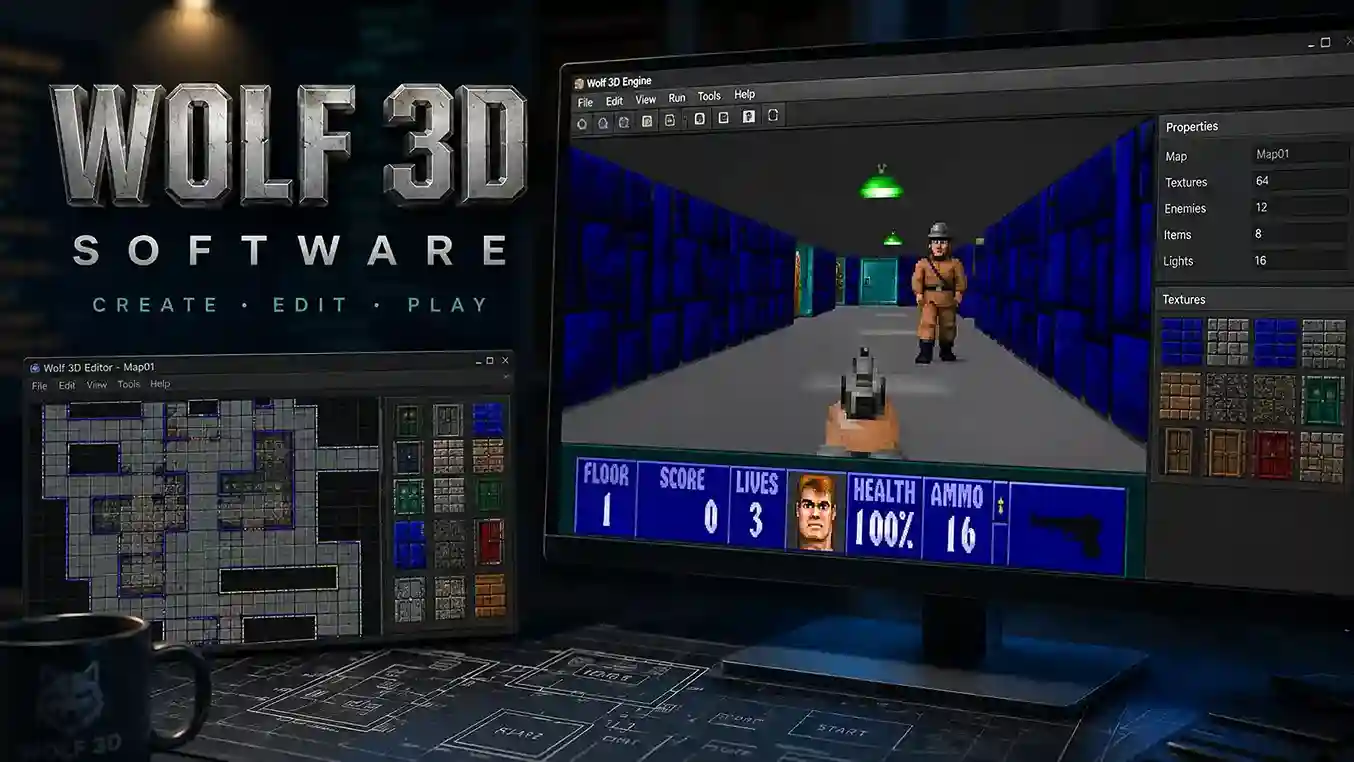
Finding a reliable way to run or modify classic Wolfenstein 3D games frustrates many retro fans. Old DOS binaries crash on new PCs, and scattered tutorials waste hours. Wolf 3D software solves this by offering modern source ports, level editors, and source code that keep the original raycasting classic alive on Windows, Mac, and Linux.
What Is Wolf 3D Software?
This toolkit refers to the complete toolset behind Wolfenstein 3D, the 1992 first-person shooter from id Software. The term covers the original game engine, the released source code, level editors, and modern source ports. You can use these tools to play the original episodes, create custom maps, replace graphics, or build a total conversion. The software remains a cornerstone of retro FPS history.
How Wolf 3D Software Changed First-Person Shooters
Before Wolf 3D software, first-person games felt slow and flat. John Carmack’s raycasting engine turned a 16-bit PC into a fast, immersive 3D world. Id Software and Apogee distributed the shareware first episode to millions. That single move created the modern FPS market.
The Raycasting Technology Behind the Game
Wolf 3D software uses raycasting, not true 3D. The engine draws vertical strips of wall textures based on a 64×64 tile map. Each tile holds a floor code, wall type, or object. This design keeps the game fast on old CPUs. You can open any map editor and see the same grid logic.
Core Features of the Engine
Wolf 3D software includes these core features:
- 60 levels across six episodes in the registered version
- Tile-based maps with pushwalls and secret rooms
- Enemy AI states: patrol, chase, attack, pain, and death
- Digitized sound effects, AdLib music, and PC speaker support
- EGA/VGA graphics with wall and sprite textures
- Score system with treasure, health, ammo, and lives
System Requirements and Setup Options
The original DOS release needs 640K RAM, a 286 processor, and VGA graphics. Modern systems need a source port or DOSBox. You can buy Wolfenstein 3D from GOG or Steam and run it through ECWolf. Free shareware versions also work with most wolf 3d software tools.
Best Source Ports for Modern Play
Choose a source port that matches your goal. These tools remove DOS headaches and add widescreen, gamepad support, and high-resolution modes. The table below compares the most reliable wolf 3d software options.
| Tool / Source Port | Platform | Key Features | Best For |
| ECWolf | Windows, macOS, Linux | High-resolution rendering, widescreen, mod support, native file access | Playing and modding with a modern, customizable engine |
| LZWolf | Windows, Linux | Expanded modding features, ZDoom-style options | Advanced total conversions |
| Wolf4SDL | Windows, Linux | Faithful to original, SDL-based, simple setup | Purists who want classic speed and feel |
| DOSBox | Windows, macOS, Linux | Emulates DOS sound and graphics | Running original DOS executable |
| ChaosEdit | Windows | Map editing, graphics and sound editing | Creating and changing levels without source code |
How to Install on Windows, macOS, and Linux
Installing wolf 3d software takes fewer than five minutes. Follow these steps:
- Buy or download the original game files from GOG, Steam, or the shareware release.
- Download a source port such as ECWolf for your operating system.
- Place the port files in the same folder as the original .WL6 or .SOD files.
- Launch the port and select the full game or shareware episode.
- Adjust controls and video settings in the options menu.
Level Editing and Map Creation
Map editors let you draw rooms on a 64×64 grid. Place enemies, health, treasure, pushwalls, and exit elevators. Popular editors include ChaosEdit, WDC, and HWE. You can test maps instantly inside ECWolf or LZWolf. This hands-on approach builds your understanding of wolf 3d software fast.
Modding Graphics, Audio, and Code
Modding wolf 3d software starts with small asset swaps. Replace wall textures and sprites with your own art using a WAD editor. Use IMF tools for music and digitized sound editors for effects. If you know C, the id Software source code lets you change enemy speed, weapon damage, or HUD layout. Start small, then ship a complete total conversion.
Common Problems and Fixes
Most wolf 3d software issues have simple fixes. Check these solutions:
- No sound on Windows 10/11: Enable Sound Blaster emulation in DOSBox or select digital audio in ECWolf.
- Black screen on launch: Update your graphics driver or run in windowed mode.
- Mouse too fast: Lower sensitivity in the port’s control menu.
- Missing game files: Copy all .WL6, .SOD, and .VGA files from the original folder.
- Save game errors: Run the port with write permissions or use a folder outside Program Files.
Wolfenstein 3D vs. Doom Engine
Wolf 3D software uses a flat, grid-based map with 90-degree walls. The Doom engine adds height variation, sloped floors, and sector lighting. Wolf 3D enemies and objects are sprites; Doom uses a binary space partition tree for complex rooms. Both engines came from id Software, but this classic raycasting engine remains easier for first-time modders.
Preserving the Source Code and Archives
id Software released the Wolfenstein 3D source code in 1995. You can find the original code on GitHub. Community ports such as ECWolf and LZWolf keep the game running on current hardware. The Internet Archive hosts shareware episodes and documentation. This ecosystem protects wolf 3d software for future players.
Frequently Asked Questions
Q: What is wolf 3d software used for?
A: Wolf 3D software runs, edits, and mods Wolfenstein 3D. You can play classic levels, design new maps, replace sprites, or compile source ports.
Q: Can I use these tools on Windows 11?
A: Yes. Install ECWolf or DOSBox, copy the original game files into the port folder, and launch. Modern ports remove compatibility barriers.
Q: Is the shareware episode free?
A: The shareware episode is free. The full game costs money on GOG or Steam, but the source code and many source ports remain free. Modding tools cost nothing.
Q: How do I create maps with this engine?
A: Open a map editor like ChaosEdit, draw wall tiles on a 64×64 grid, place objects, and save the map. Load the file through ECWolf to test.
Q: What source port is best for Wolfenstein 3D?
A: ECWolf offers the best balance of modern features and stability. Use LZWolf for advanced mods and DOSBox for original DOS accuracy.
Q: Where can I download the original game?
A: Get the original game from GOG or Steam. Download ECWolf from its official site and DOSBox from dosbox.com. Avoid unknown sites that bundle malware.
Start Building Today
You now have the tools, source ports, and workflow to run and modify this classic FPS. Pick one map idea, draw it in ChaosEdit, and test it in ECWolf tonight. The community values new levels and total conversions. Download the original files, choose your tool, and create something unforgettable.