Kuta Software: The Smart Math Teacher’s Secret for Infinite Algebra 1 Worksheets
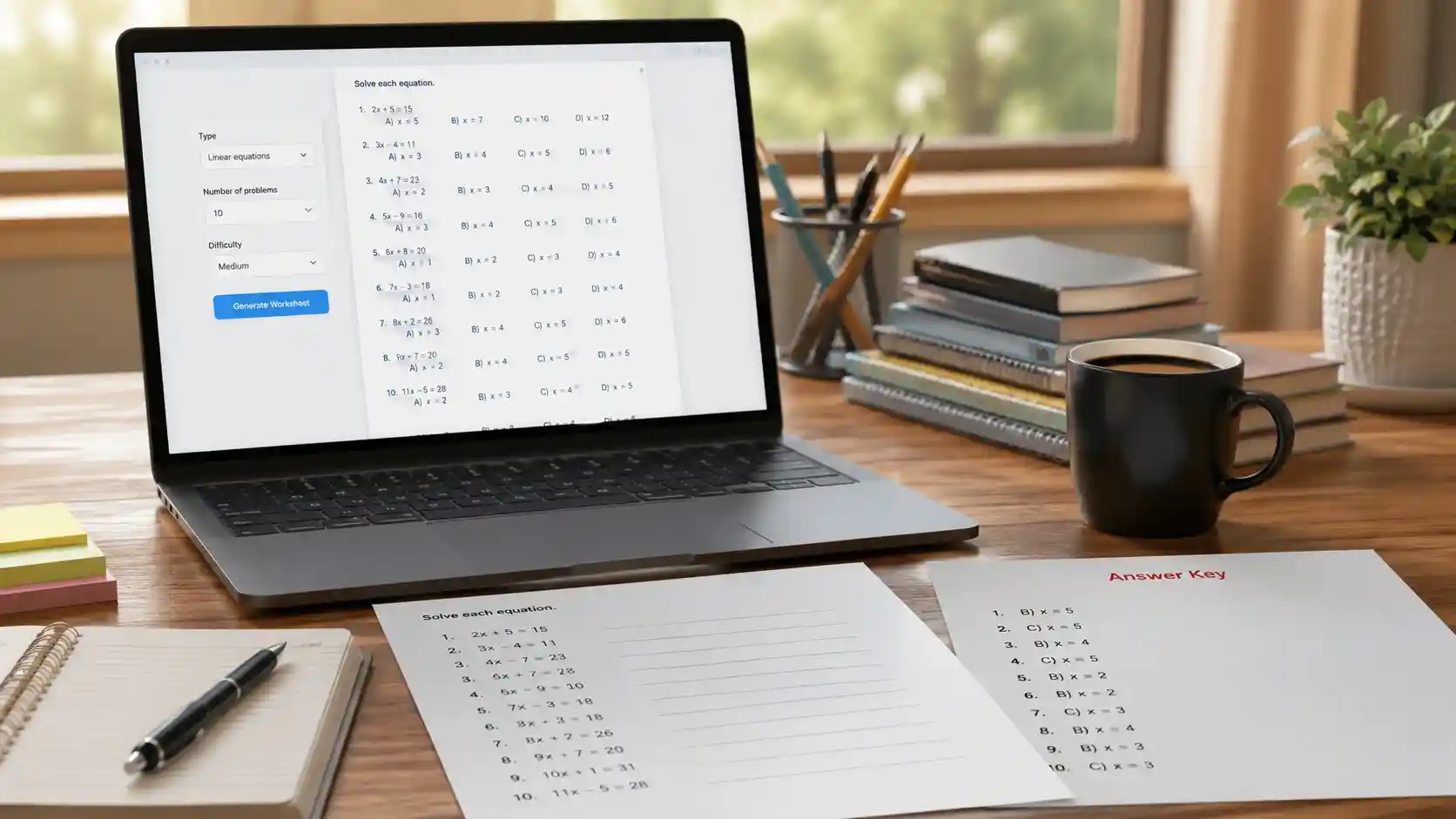
Sunday night lesson planning hits hard. You need 30 unique slope-intercept problems, an answer key, and a retake version by 7 a.m. Kuta Software Infinite Algebra 1 turns that panic into a two-minute job.
Most algebra teachers do not need another static worksheet site. They need a generator that respects their time and gives them control over every problem. This guide breaks down exactly how Kuta Software works, where it shines, and how to use it without falling into common traps.
Stick around for the seven workflows that turn a basic worksheet tool into a full assessment system.
What Is Kuta Software Infinite Algebra 1?
Kuta Software is a desktop worksheet generator built for math teachers. Infinite Algebra 1 is the algebra-focused version of the platform, covering everything from one-step equations to quadratic functions.
You download the software, select a topic, customize the question types, and hit generate. The program creates a fresh worksheet, a matching answer key, and multiple versions of the same skill set.
Teachers often call the whole suite “Kuta” because the tool has become shorthand for quick, reliable math practice. The desktop app runs offline, which matters in classrooms with spotty Wi-Fi.
Popular Infinite Algebra 1 topics include:
- Solving linear equations and inequalities
- Graphing lines, slopes, and systems
- Polynomial operations and factoring
- Quadratic equations and functions
- Radical and rational expressions
Why Math Teachers Stop Searching for Worksheet Generators
Free sites feel good until you spend 20 minutes fixing misaligned boxes, broken answer keys, and problems that do not match your state standards. Kuta Software removes that friction.
Algebra teachers value consistency. With Kuta, every worksheet uses clean formatting, logical problem progression, and answer keys that line up perfectly.
The real shift happens when you realize you can print a retake in under a minute. That means fewer early mornings and fewer rushed copies at the machine.
Core Features That Make Kuta Software Infinite Algebra 1 Different
Custom Problem Regeneration
Every time you click generate, Kuta creates new numbers and new problem arrangements. You never have to worry about students copying answers from last year.
This regeneration feature also lets you create multiple versions of the same quiz for different class periods or absent students.
Multiple Choice and Free Response Mixing
Infinite Algebra 1 lets you switch a problem set from free response to multiple choice with a few clicks. That flexibility helps you prepare students for both classroom tests and standardized exams.
You can mix the two formats inside the same worksheet, which is rare among free generators.
Answer Keys That Save Grading Time
The auto-generated answer key prints with the same layout as the student version. You can grade a stack of 30 papers without flipping back and forth between answer sheets.
One caveat: Kuta provides answers, not fully worked step-by-step solutions. Pair it with a video tool if your students need detailed explanations.
Kuta Software vs. Free Worksheet Sites: A Quick Comparison
| Feature | Kuta Software Infinite Algebra 1 | Typical Free Worksheet Site |
| Topic coverage | 90+ algebra topics | Often limited to 20–30 |
| Problem regeneration | Unlimited fresh versions | Static PDFs |
| Multiple choice support | Built-in | Rare or manual |
| Answer key quality | Auto-generated and aligned | Often missing or misaligned |
| Offline access | Yes, desktop app | Usually browser-only |
| Time per worksheet | Under 2 minutes | 15–30 minutes with formatting |
The table tells the real story. Free sites cost zero dollars but charge you in time and consistency. Kuta’s value shows up most when you need a last-minute retake or a quick spiral review set.
7 Smart Workflows to Use Kuta Software Like a Pro
- Build a bank of bell ringers. Generate 5-question sets on prior topics and save them by week.
- Create three versions for every quiz. Use the regenerate button to make A, B, and C forms in seconds.
- Mix multiple choice with free response. Prepare students for state testing without losing written practice.
- Print answer keys first. Keep a folder of keys so you never lose grading time.
- Export to PDF for Google Classroom. Go paperless while keeping the clean Kuta formatting.
- Use topic spiraling. Pull one old topic into every new worksheet to keep skills fresh.
- Save custom question sets. Save your favorite settings so next year’s prep takes minutes, not hours.
These workflows work because they reduce decision fatigue. You stop asking what to print and start pressing generate.
Kuta Software Access, Trial, and Licensing Simplified
Kuta Software Infinite Algebra 1 runs as a desktop application. You do not need a browser or a constant internet connection, which makes it reliable for classroom projectors and old laptops.
The company offers a free trial so you can test the full feature set before buying. Individual licenses, building licenses, and district licenses vary, so request a quote from your administrator early.
Key access points:
- Free trial: complete access for a brief period of time
- Desktop app: install on Mac or Windows
- Offline use: no Wi-Fi required after installation
- Licensing: individual, building, and district options available
Buying the right license matters. If several teachers in your department will use the software, a building license often costs less per person than individual seats.
Common Mistakes Teachers Make with Kuta Software
- Generating 40-problem worksheets for daily practice. This burns students out and creates grading overload.
- Ignoring the free trial setup. Spend one afternoon customizing topics before your class needs the first worksheet.
- Skipping the multiple-choice option. Many standardized tests use multiple choice, and students need that exposure.
- Not saving custom configurations. Rebuilding your favorite settings every week wastes the exact time you are trying to save.
- Assuming the answer key shows step-by-step work. It does not. Plan separate review activities for explanations.
Most mistakes come from treating Kuta like a static worksheet site. It is a generator, so the more you customize upfront, the faster your weekly workflow becomes.
Frequently Asked Questions
Is Kuta Software Infinite Algebra 1 free?
Kuta offers a free trial, but the full version requires an annual license. Many schools buy building or district licenses, so check with your department before paying out of pocket.
Can I use Kuta Software on a Mac or Windows?
Yes. Kuta Software Infinite Algebra 1 runs on both Mac and Windows. You download the desktop app and work offline, which helps in classrooms with weak internet.
Does Kuta Software show step-by-step solutions?
No. You get a complete answer key with final answers, but not worked solutions. Pair Kuta with instructional videos or guided notes if your students need process explanations.
How many topics does Infinite Algebra 1 cover?
The program includes more than 90 algebra topics, from solving basic equations to quadratic functions and rational expressions. That coverage supports most Algebra 1 curricula.
Can I share worksheets with other teachers?
You can share printed or PDF copies, but each teacher using the software needs a license. District licensing usually covers multiple staff members in one building.
What is the fastest way to make a retake with Kuta Software?
Open your original question set, click regenerate, and print. You get a fresh version with new numbers and the same skill focus in under a minute.
Final Verdict: Is Kuta Software Infinite Algebra 1 Worth It?
For most algebra teachers, the answer is a clear yes. The time savings alone cover the cost within a few weeks of consistent use.
The tool does not replace good teaching. It removes the repetitive copy-and-paste work so you can spend more time explaining, intervening, and building relationships.
Insider tip: run the free trial during a heavy review week. Create three weeks of bell ringers, quizzes, and retakes in one sitting. Once you feel that speed, going back to static PDFs feels like punishment.